AirPlay · Windows
MochiMirror
An AirPlay receiver for Windows. Bring an Apple device’s screen to a native desktop window.
Working entry Sample availability; cover studies and development stages are illustrative.
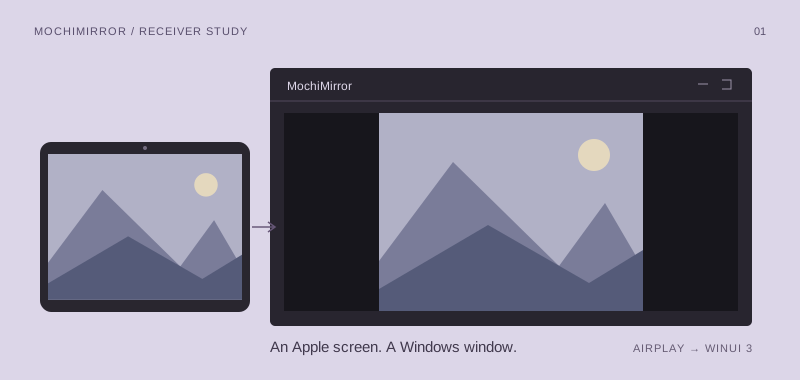
A familiar screen, a different desktop.
MochiMirror is a native Windows AirPlay receiver, built with C#/.NET and WinUI 3. Its focus is screen mirroring: receiving a stream from an Apple device and displaying it in a desktop window. The engineering spans protocol handling, streaming, media decoding, and rendering; the product goal is a receiver that feels at home on Windows.
From connection to first frame
Make connection state legible
A useful receiver needs more than a waiting screen. The interface should distinguish discovery, connection, an active stream, and a recoverable interruption without exposing protocol jargon to the person holding the phone.
Keep the media path separate
UI, core functionality, and tests have separate responsibilities. Protocol and playback experiments should be testable without opening a window; the WinUI layer should express the session rather than own it.
Treat distribution as product work
A standalone Windows product is the direction. Microsoft Store distribution is a possibility, so packaging, permissions, and a clear first-run experience belong in future product planning.
Inside the receiver
- Application
- C# / .NET · WinUI 3
- Media path
- AirPlay protocols → stream → decoding → rendering
- Structure
- Separate UI, core, and testing modules
- Product direction
- Standalone Windows app; Microsoft Store under consideration
The stream is only half the story
The interesting boundary is between a connected device and a visible frame. Discovery, session negotiation, incoming media, decoding, and presentation each have their own failure modes. A native interface can make that chain feel simple without hiding the information needed to recover.
The testing direction is to keep protocol and session work outside the window layer, then use representative streams to examine compatibility. These checks should cover compatibility, smooth playback, and predictable recovery.
An example development path
Illustrative stages, from later explorations to foundations.
Desktop experience
Explore window behavior, session feedback, reconnection, and packaging as one product experience.
Decode & render
Investigate the path from an incoming media stream to a displayed frame, with compatibility checks around it.
Protocol foundation
Define the protocol boundary and a testable session lifecycle before connecting it to the WinUI shell.